The DAW that disappears into your performance
Purpose-built for storytellers. Punch-and-roll recording without the complexity of a full DAW. If you can perform, you can record — all in one place.
You became a narrator to tell stories, not to learn audio engineering
Complex DAWs
Most recording software was built for music producers. Hundreds of features you’ll never use, buried behind menus that make no sense for voice work.
Setup fatigue
Juggling a PDF reader in one window, a DAW in another, routing audio, setting levels — before you’ve read a single word.
Feedback loops from hell
Emailing files, reading correction notes in spreadsheets, re-recording blind, and hoping you got the right section. Sound familiar?
0
installs required
< 2 min
from sign-up to recording
Free
during beta
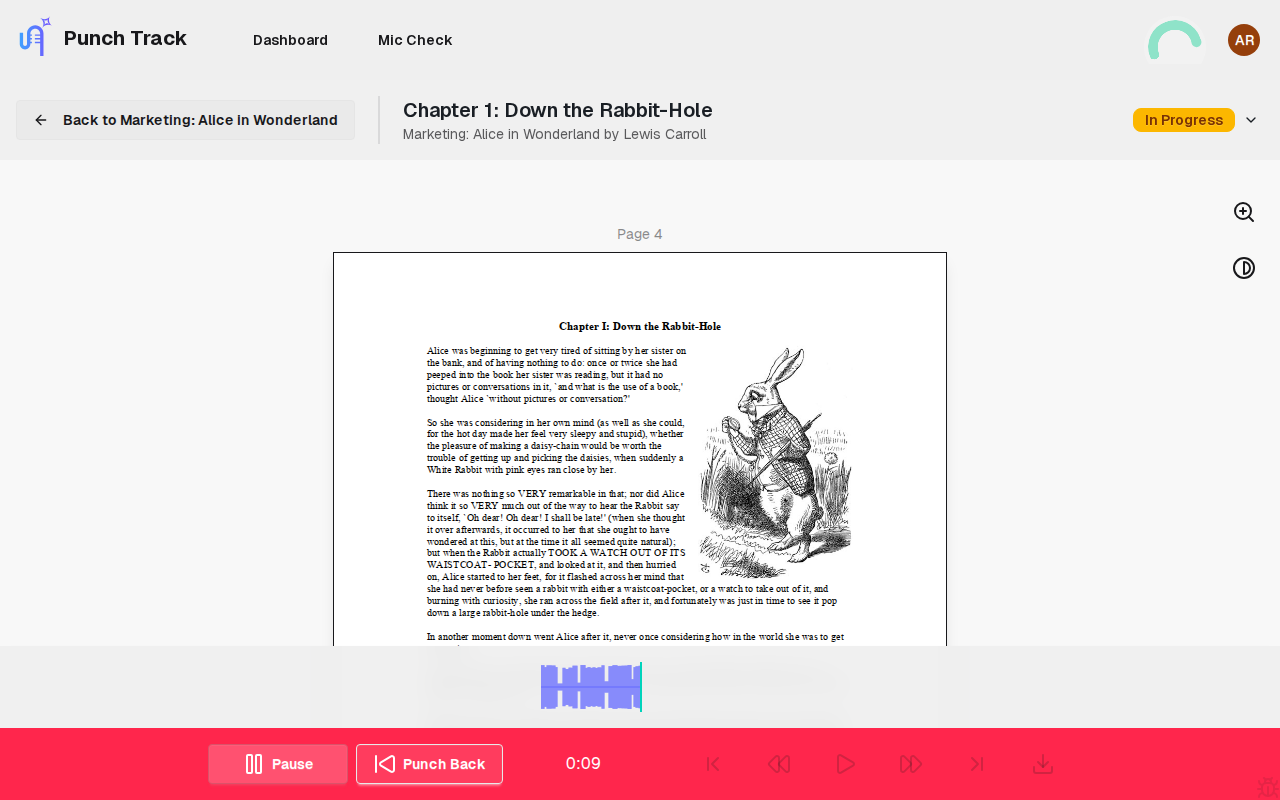
Your script, right where you need it
See your manuscript alongside the recorder. Zoom, invert colors for eye comfort, and set chapter boundaries. No more fumbling between windows or losing your place.
- PDF viewer with zoom and color inversion
- Chapter boundary markers on the PDF
- Dark mode for even more comfort
Know your levels before you record a word
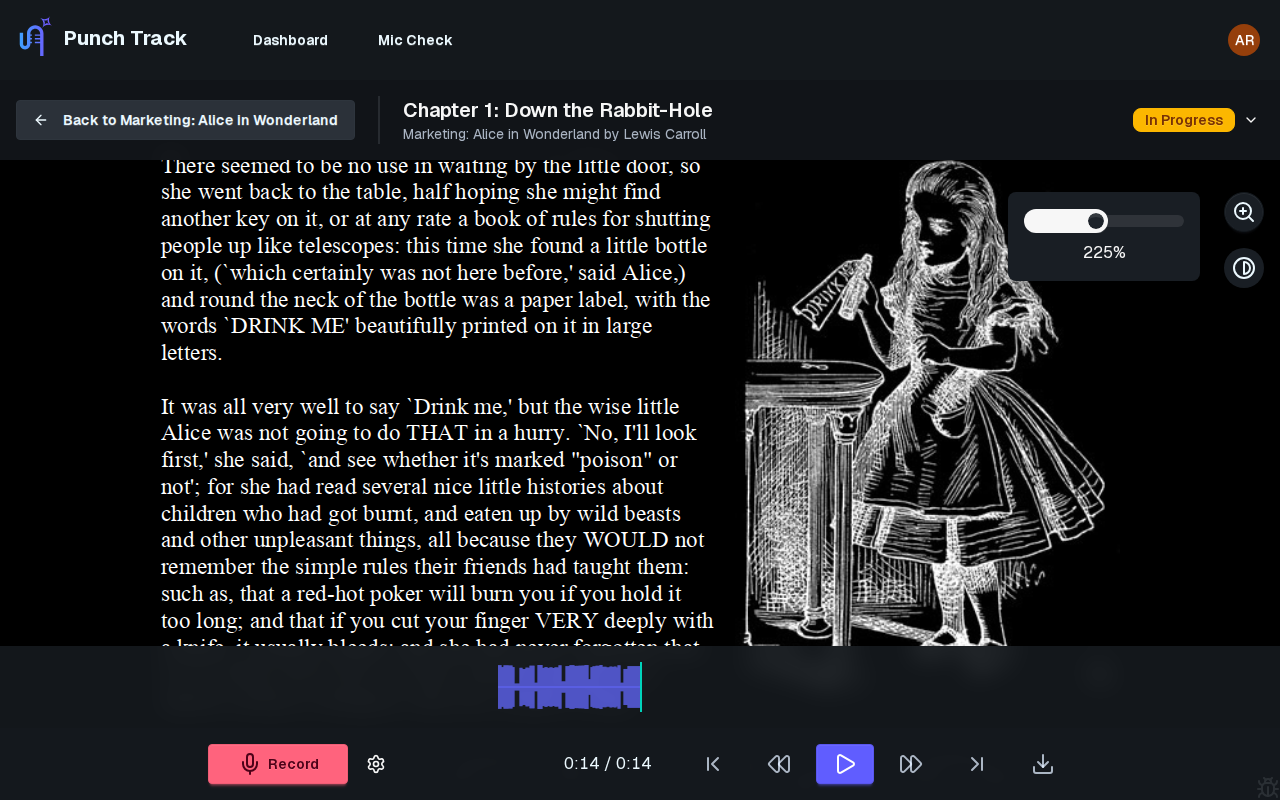
The mic check assistant validates your input levels and environment before you press record. Select your microphone, check the levels are right, and start with confidence. No more recording an entire chapter only to discover your gain was wrong.
Punch-and-roll that just works
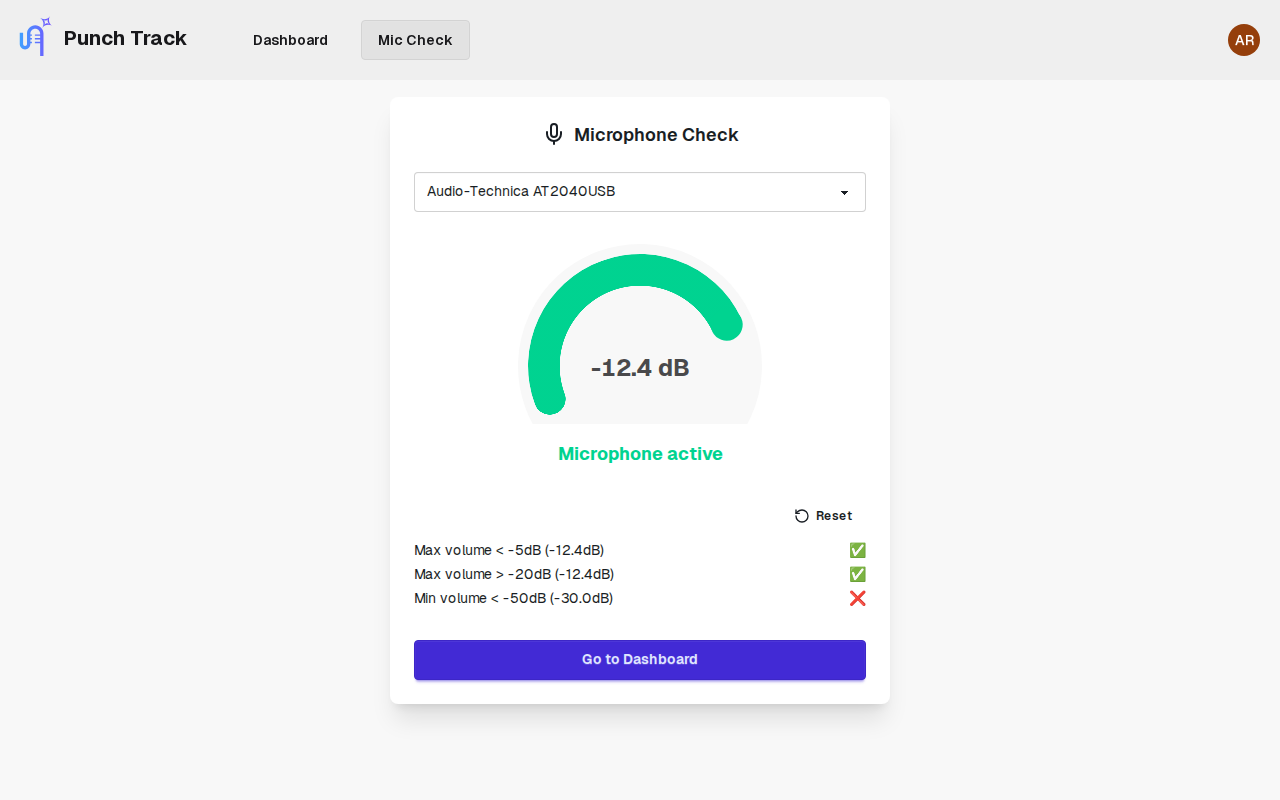
Made a mistake? Hit the ‘punch back’ key. Punch Track rolls back a few seconds, plays your last good take, and seamlessly records over the top. The crossfade is automatic. The blend is invisible. You stay in the flow.
- Configurable punch-back duration (0.5–30 seconds)
- Automatic crossfade blending at edit points
- Keyboard shortcuts for single-handed operation
Fix what needs fixing, nothing more
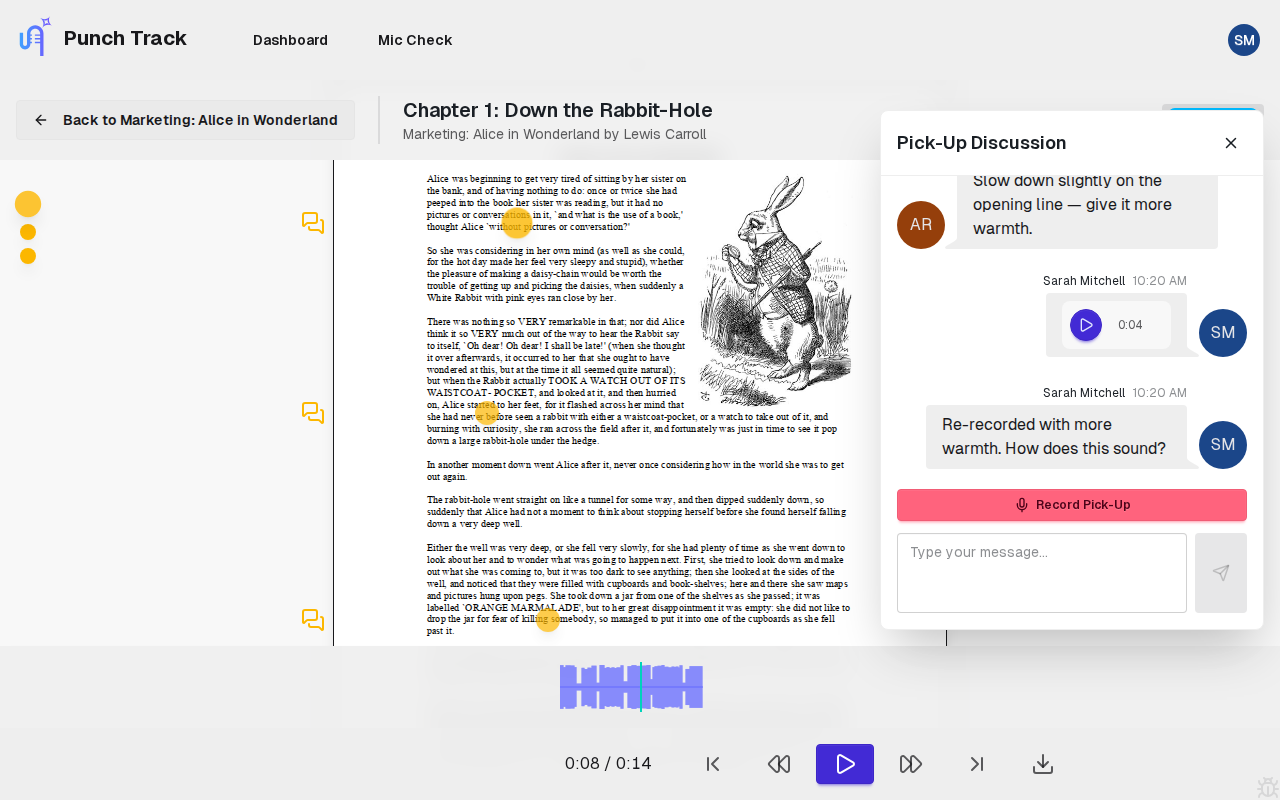
When your reviewer finds something, they drop a pick-up at the exact spot on the page — with a message that starts a conversation thread. You see the markers on the page, re-record just those sections, and resolve each one. No spreadsheets. No email chains.
- Pick-up markers at exact timestamps
- Audio messages in discussion threads
- Color-coded: yellow (open) → green (resolved)
- Real-time updates across all parties
See exactly where you stand on every book
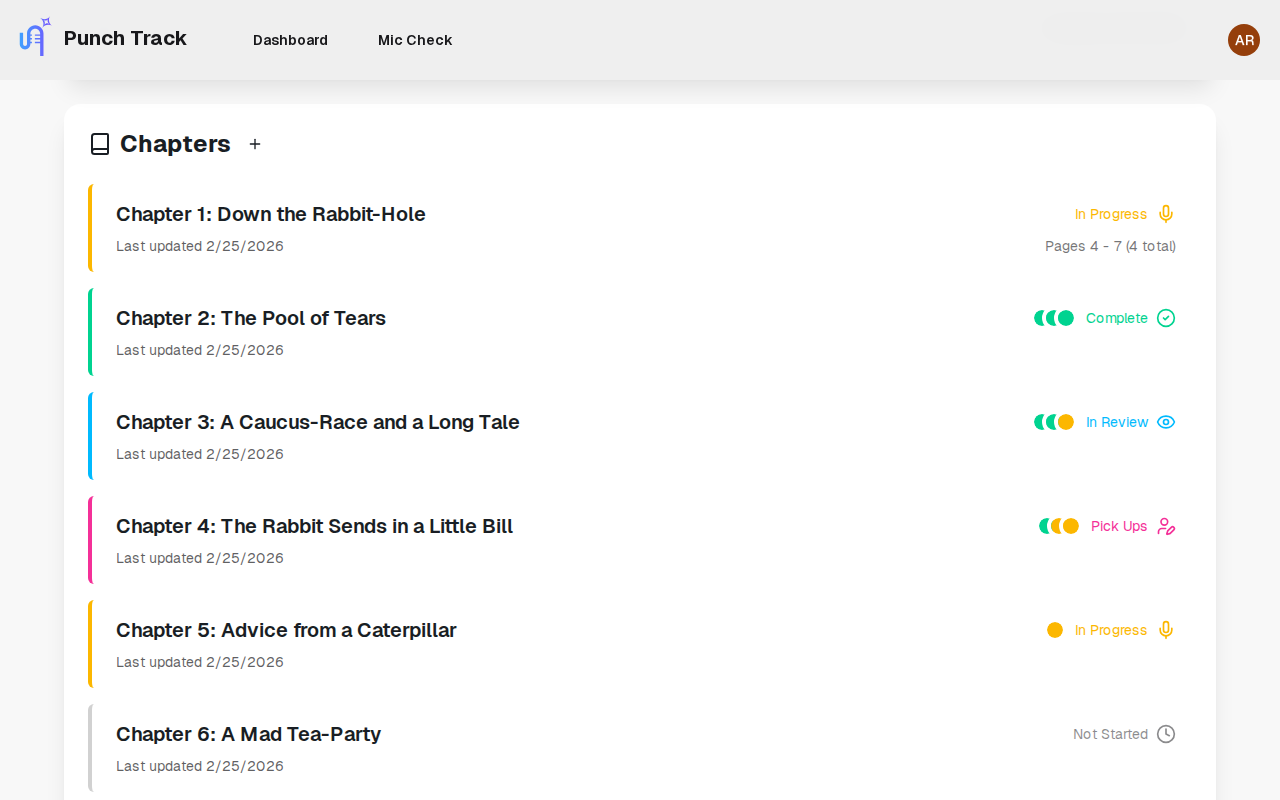
No more guessing which chapters are done and which still need work. Your dashboard shows the status of every chapter at a glance — what’s recorded, what’s in review, what’s been approved, and where pick-ups are waiting.
- Chapter-by-chapter progress across all your projects
- Clear status indicators: recording, in review, approved
- See outstanding pick-ups before they pile up
- Live updates as your reviewer works through chapters
Try it yourself — it’s free
No credit card, no install, no commitment. Open Punch Track in your browser and record your first chapter today.
Start RecordingNarrator-focused features, nothing more
Real-time feedback
See your audio take shape as you record, with visual feedback for levels and position.
Keyboard shortcuts
Navigate, record, punch-back, and control playback without touching the mouse.
Auto-saving and uploading
Clips upload in the background as you record. Never lose a take.
Settings that stick
Sample rate, bit depth, format and loudness (LUFS) saved per project.
Recording protection
No accidental navigation away from an active session. Your work is safe.
Multi-format export
Download your finals as MP3, WAV, or FLAC at industry-standard settings.
From script to signed-off chapter in three steps
Open your chapter
Your script or PDF is already loaded. Hit mic check, then press record.
Record and punch
Read naturally. Punch back over any mistakes. Clips save automatically.
Submit for review
Submit the chapter. Your reviewer listens and either approves or adds pick-ups.
Narrators are already making the switch
I used to spend more time fighting my DAW than actually reading. With Punch Track, I just… record. It feels like someone finally understood what we actually need.
Sarah M.
Audiobook Narrator
The punch-and-roll is buttery smooth. I can punch mid-sentence and the crossfade is invisible. My editor couldn’t tell where the edits were.
James R.
Voice Actor
I’m not technical at all. My old setup took me weeks to configure. Punch Track took me five minutes from sign-up to first recording.
Priya K.
Narrator & Educator
Frequently asked questions
No. Punch Track runs entirely in your browser. There’s nothing to download, install, or configure. You just need your mic connected to your computer and give Punch Track access permission.
We record in FLAC for lossless quality during your session. You can export finished chapters as MP3, WAV, or FLAC.
44.1 kHz and 48 kHz. You choose per project to match your publisher’s requirements.
Yes. When you’re part of a team project, your reviewer can listen to submissions and add pick-ups directly in Punch Track. You can also create private projects — just don’t invite anyone to review and it stays yours
Yes. All audio is uploaded to encrypted cloud storage. Only team members with access to the project can listen.
We’re currently in beta and free to use. Pricing will be announced before the full launch in 2026.
See how Punch Track compares
Ready to just read?
Recording is changing. No installs, no complexity — just you and the story.
Start Recordingor join our mailing list for updates