For audiobook narrators
Flub a line? Fix it in seconds, not hours. Punch Track is browser-based audiobook recording for narrators.
Every retake, re-export, and “can you redo that paragraph?” eats your day and tests your patience. Punch Track lets you punch in, roll on, and hand off clean takes your studio can approve the first time — right from your browser.
Seconds
to re-record
Zero
DAW setup
Free
for 6 months
Working with a studio or reviewer? They get a shared review workspace, free.
Early Access
Launching 2026 — free during beta
We’re building Punch Track with the creative community. Try it now, share feedback, and help shape the future of audiobook recording. As a thank you, beta testers get 6 months of free access once we launch.
Start RecordingWhat is Punch Track?
Punch Track is a browser-based audiobook recording and production platform, purpose-built for spoken-word narration. Narrators record and edit in their browser with no software to install. Studios manage projects, review chapters, and track progress from one dashboard.
See It In Action
Get On Track
Join our mailing list to receive updates about new features and launch dates.
How It Works
From script to finished chapter in three steps
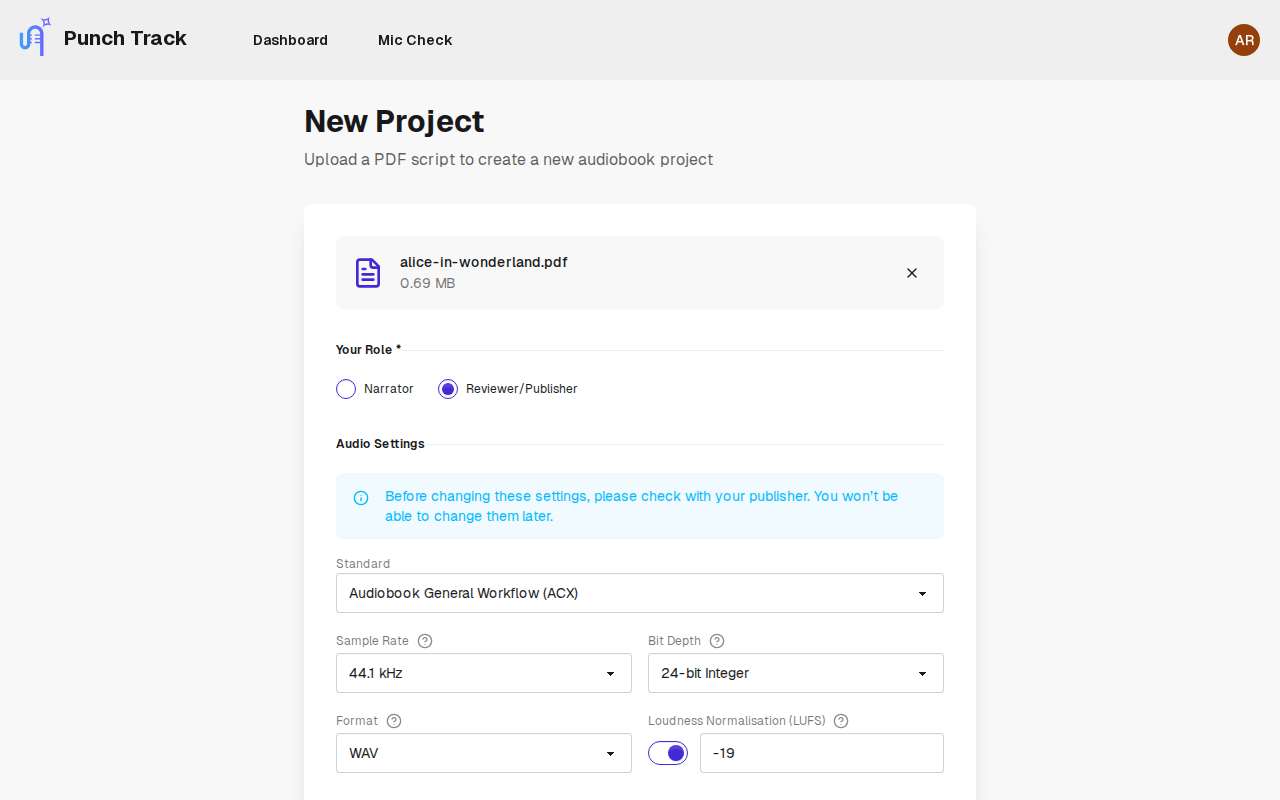
Join project or start new
Accept a brief from a publisher or upload your own script.
Record & Edit
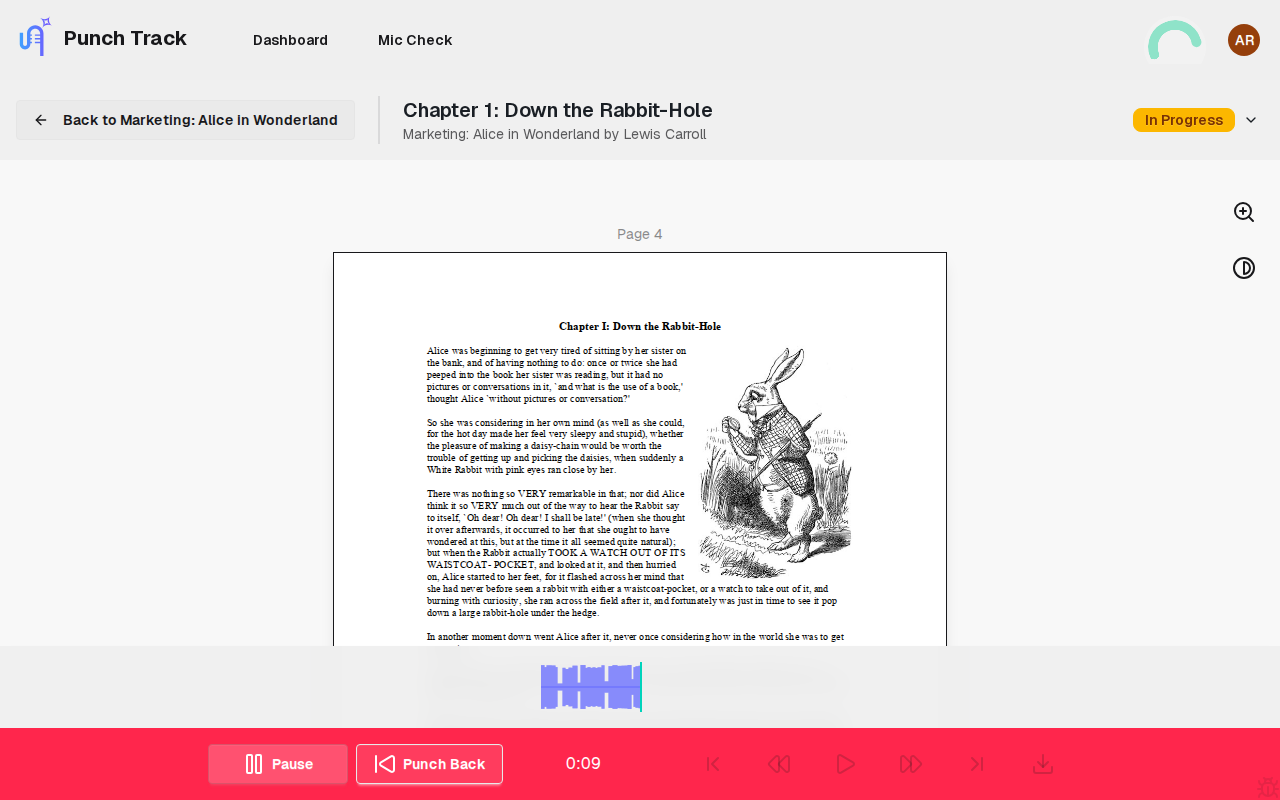
Punch-and-roll lets you easily skip back a few seconds and record over the top to fix mistakes.
Submit and re-work
Get feedback as you go, no uploading or dealing with emails.
Two roles, one platform
Key Features
Browser-based recording studio
Professional recording from any device, no downloads or apps
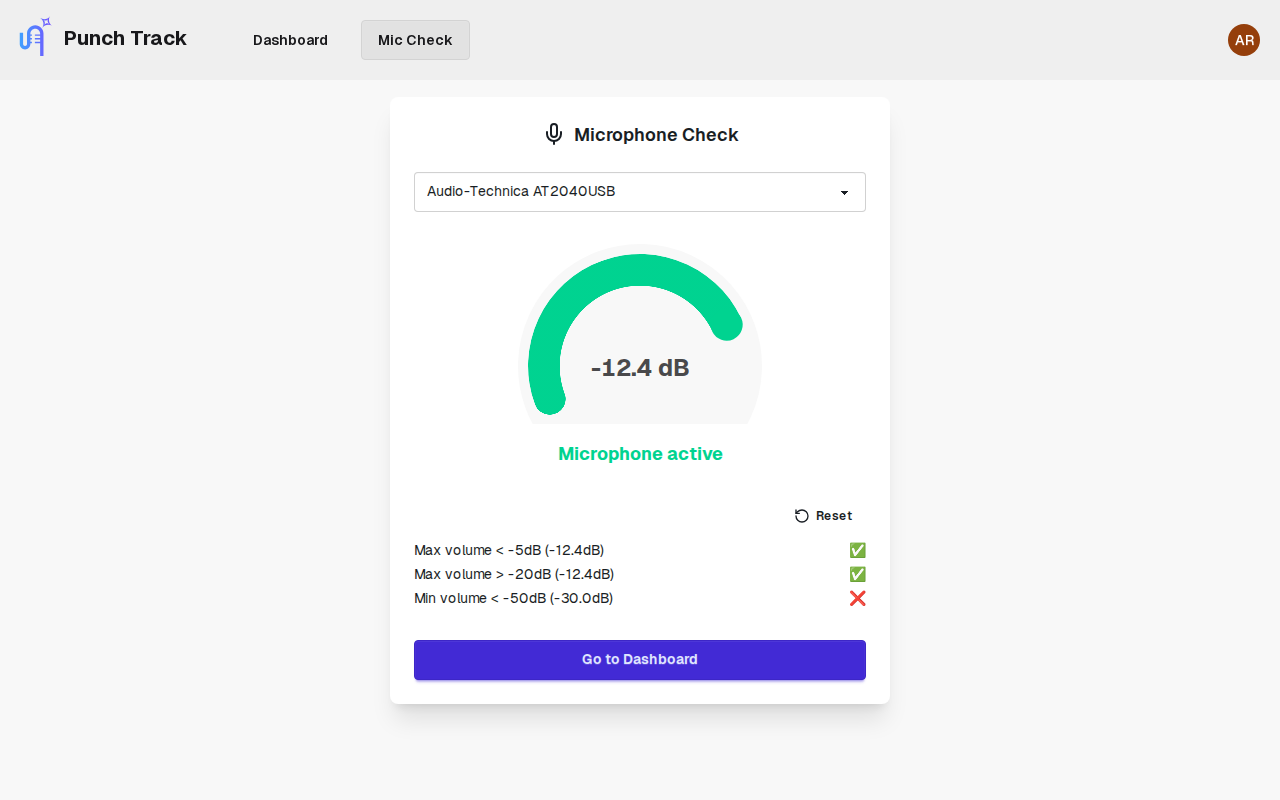
Microphone setup assistant
Checks your levels and environment are optimal before you press record
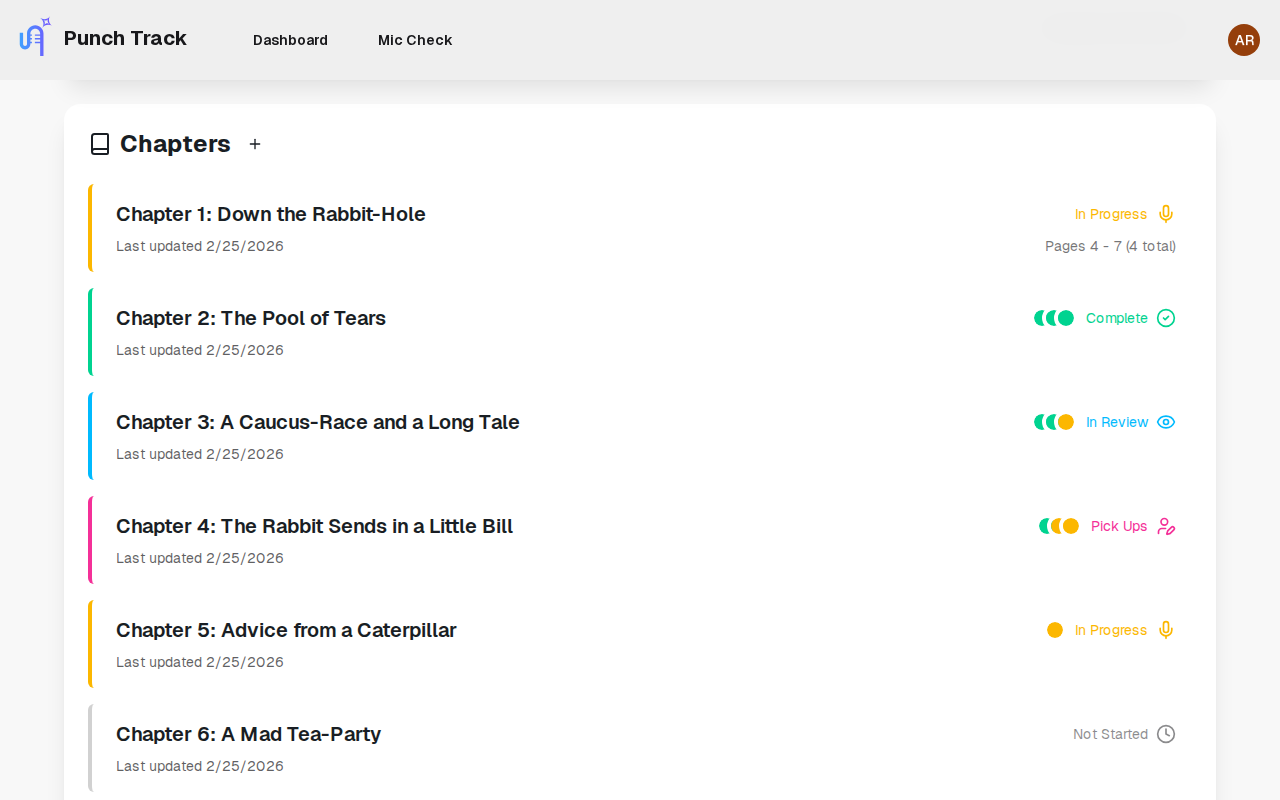
Progress tracking
Get an overview of how each project is progressing, chapter by chapter
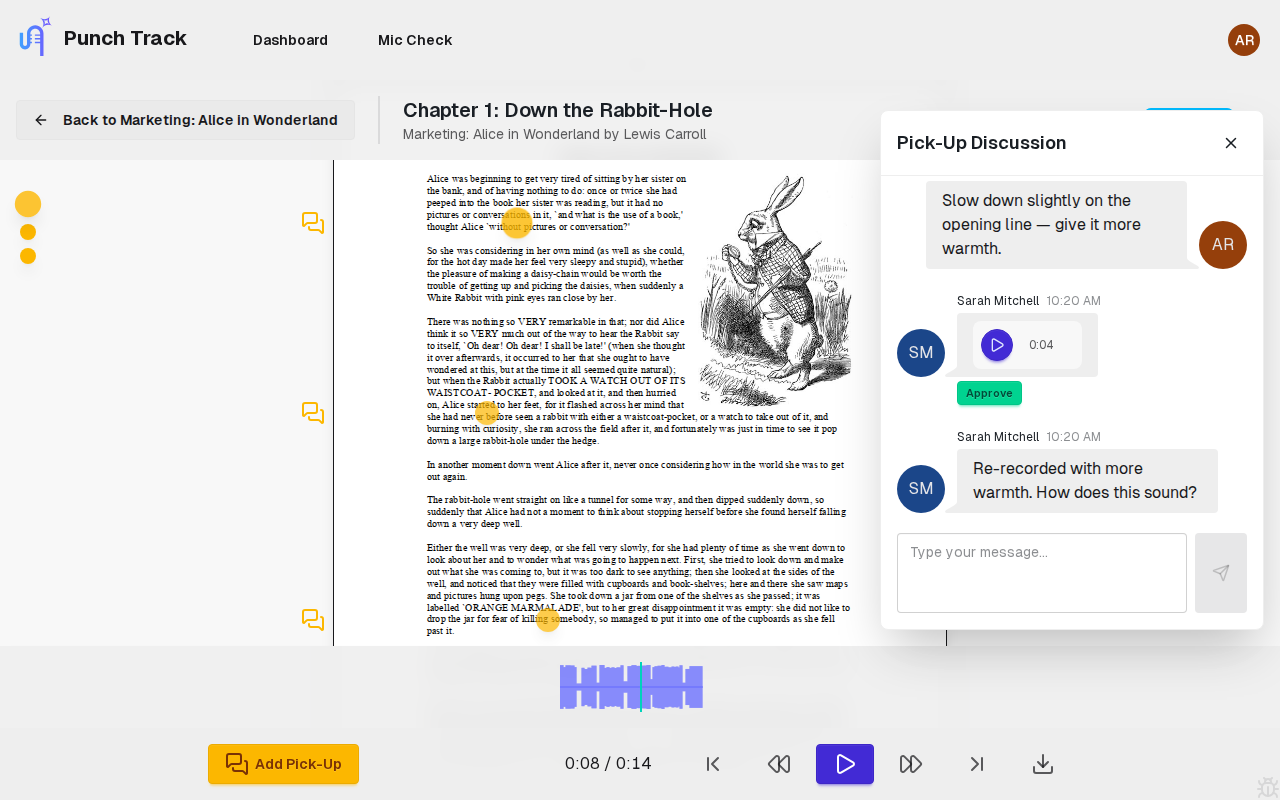
Pick-ups and discussions
Reviewers can quickly note problem areas as they go, leading to quicker fixes
Multi-format Export
Export to MP3, WAV, FLAC at industry-standard settings
Quality Assurance
Automated quality checks and validation
Who We Are
We’re Todd Kramer and Damian Moore — two friends who teamed up to make audiobook recording easier for the rest of us. Todd’s a professional actor, voiceover artist, and audiobook narrator who, like so many others, just wanted to sit down and read without wrangling a complex DAW built for music producers. Damian’s a fullstack developer with a background in music tech who took one look at the problem and knew exactly how to fix it.

Todd Kramer
British-American actor and voice artist based in the UK. With decades of experience behind the mic and in front of the camera, Todd’s narration work is known for its nuance, warmth, and emotional clarity. He co-founded Punch Track to help creative performers stay focused on storytelling, not software.
More about Todd
Damian Moore
Fullstack developer and lifelong tech tinkerer. Damian’s background in music and audio led him from jazz saxophone to building Audio Audit (automated QC for podcasts). With years of startup experience and a passion for clean, intuitive tools, he brings the tech brains behind Punch Track’s smooth, idiot-proof workflow.
More about DamianFrequently asked questions
Punch Track is a browser-based audiobook recording and production platform. It combines punch-and-roll recording, an integrated manuscript viewer, collaborative review with pick-up markers, and chapter-level project management in a single application — purpose-built for audiobook narrators and studios.
No. Punch Track runs entirely in your browser. There is nothing to download, install, or configure. You need a modern browser and a microphone.
Punch-and-roll is a recording technique where you roll back a few seconds over a mistake, listen to your last clean phrase for context, and punch in to re-record seamlessly. Punch Track automates the crossfade so the edit point is inaudible.
Punch Track serves audiobook narrators who need a streamlined recording environment and studios or publishers who manage multiple narrators and projects. Narrators get punch-and-roll with a built-in script viewer. Studios get project dashboards, team management, and a pick-up correction workflow.
Punch Track records in FLAC for lossless quality. Finished chapters can be exported as MP3, WAV, or FLAC at 44.1 kHz or 48 kHz to match publisher delivery requirements.
Traditional DAWs like Pro Tools, Audacity, and REAPER are general-purpose audio editors designed for music production. Punch Track is purpose-built for spoken-word narration with only the features narrators need — no complex routing, mixing, or plugin management.
Punch Track is currently in beta and free to use. Pricing will be announced before the full launch in 2026.
Once a narrator submits a chapter, a reviewer listens and places pick-up markers at specific timestamps where corrections are needed. Each marker has a threaded conversation. The narrator resolves pick-ups one by one and resubmits.